
Finding a government policy for a research paper, a regulatory update for a client, or a national strategy to support a business decision can take more time than expected. You might find a reference in a report, only to discover that the original document is difficult to locate. If your work involves several African countries, you may have to search multiple government websites before finding what you need.
Policy Vault has been rebuilt to make this process easier by bringing African policy documents together in one searchable repository, with tools intended to help users find relevant materials, understand their contents and organise their research.
Whether you are conducting policy research, preparing a regulatory briefing or comparing government approaches across countries, Policy Vault provides a central place to begin your search.
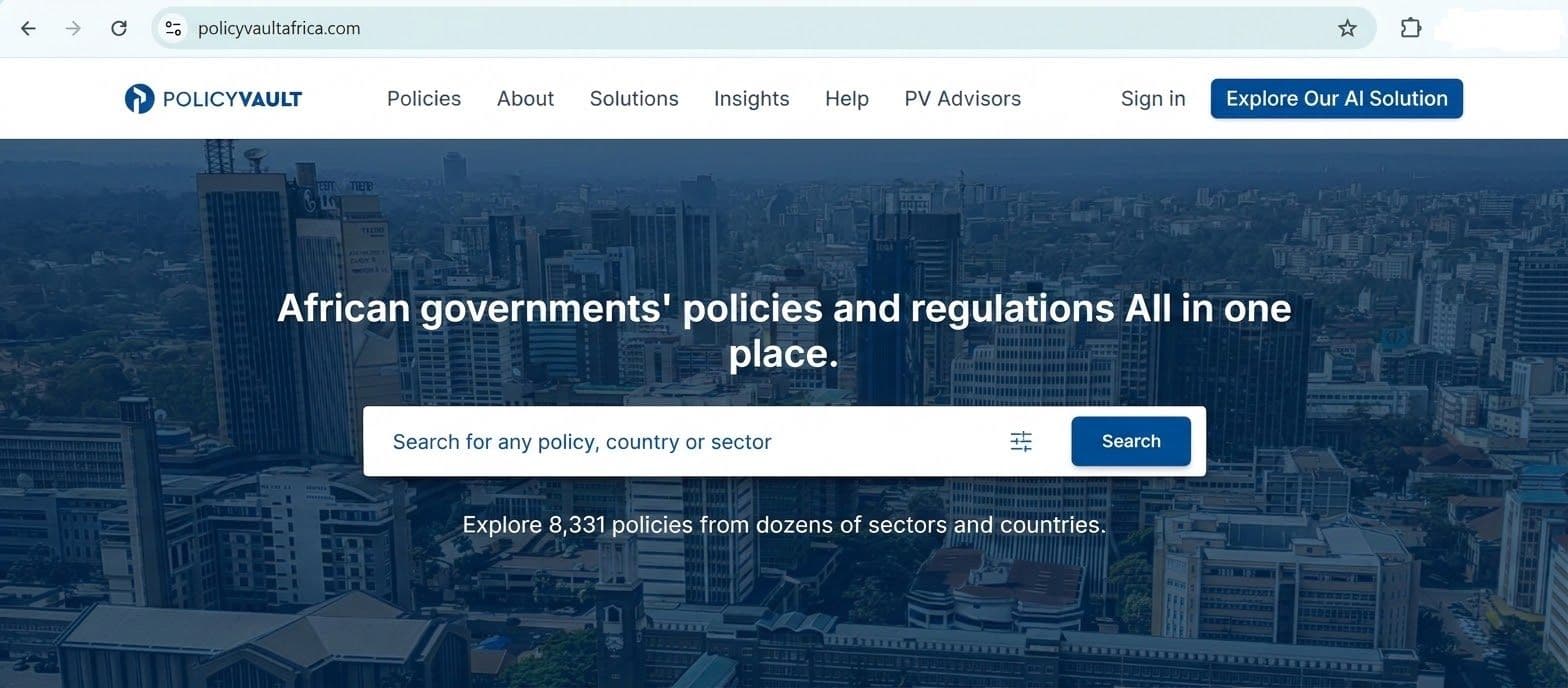
Explore the Policy Vault repository
What can you find in the African policy repository?
The repository currently contains 8,331 policy documents covering 22 African countries and 172 sectors. The repository also covers subject areas such as:
- Agriculture and food systems
- Health and education
- Trade and investment
- Finance and taxation
- Environment and climate change
- Energy
- Science and technology
- Governance and national development
Finding documents relevant to your research
The best way to begin depends on whether you already know which document you need. If you know a policy's title, you can search for it directly. If you are investigating a broader subject and do not know which policies are relevant, you can use PolicyAI to describe your research question.
For example, someone studying climate policy in Nigeria could search for a specific national climate policy or ask PolicyAI to identify relevant policies and strategies. This makes it possible to begin with the research problem rather than the name of a document.
The sections below explain how to use both approaches. What has changed on the rebuilt Policy Vault?
Policy Vault still allows users to search for policy documents across countries and sectors, using document titles or keywords to find relevant information.
The rebuilt platform adds new tools to support the research process. Users can now:
- Use PolicyAI to explore research topics and identify relevant documents.
- Generate AI summaries to understand the main points of a policy.
- Ask questions about individual policy documents.
- Save relevant documents for later.
- Record notes connected to the policies they are reviewing.
This makes Policy Vault more than a document repository. You can now find policy information, examine it and organise your research within the same platform.
How to get started with Policy Vault
You can begin by visiting the website and browsing the repository. However, opening the policy listings is different from accessing the documents themselves: visitors who are not signed in cannot read or interact with the policy documents. You need to register or sign in to access them.
Explore the repository
Step 1: Visit the website
Go to policyvaultafrica.com
Step 2: Browse the policy listings
Select the option to view policies and browse the available listings. You can explore what is available, but you will need to register or sign in before you can read or interact with the policy documents.
Visitors can browse policy listings before signing in, but document access requires an account.
Register to access full documents and supporting features
If you do not have an account, you can create one from the registration page.
Step 3: Create your account
Select the registration option and complete the form. The current registration page requests:
- First name and last name
- Organisation
- Job title
- Email address
- Password
- Country
You must also accept the Policy Vault Africa Terms of Use and Privacy Policy before selecting Proceed.
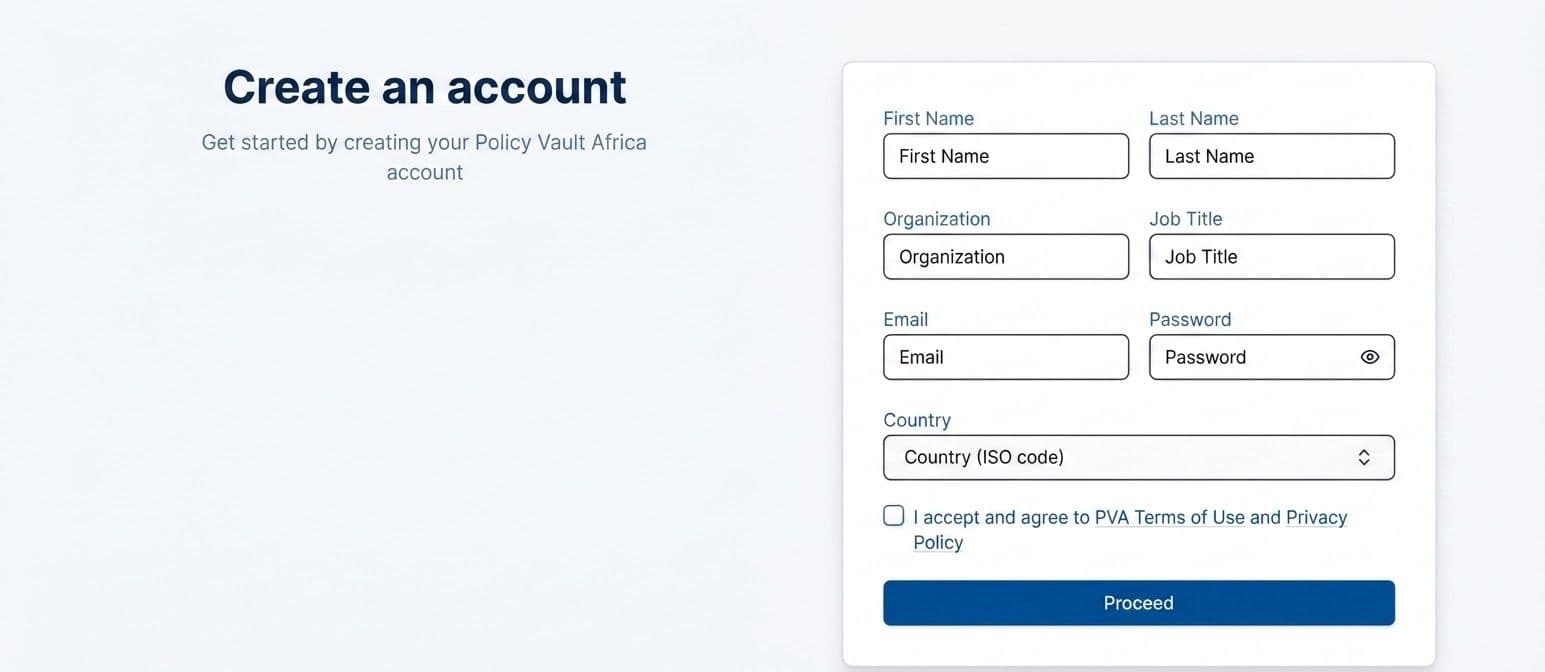
Complete the registration form to create your Policy Vault account.
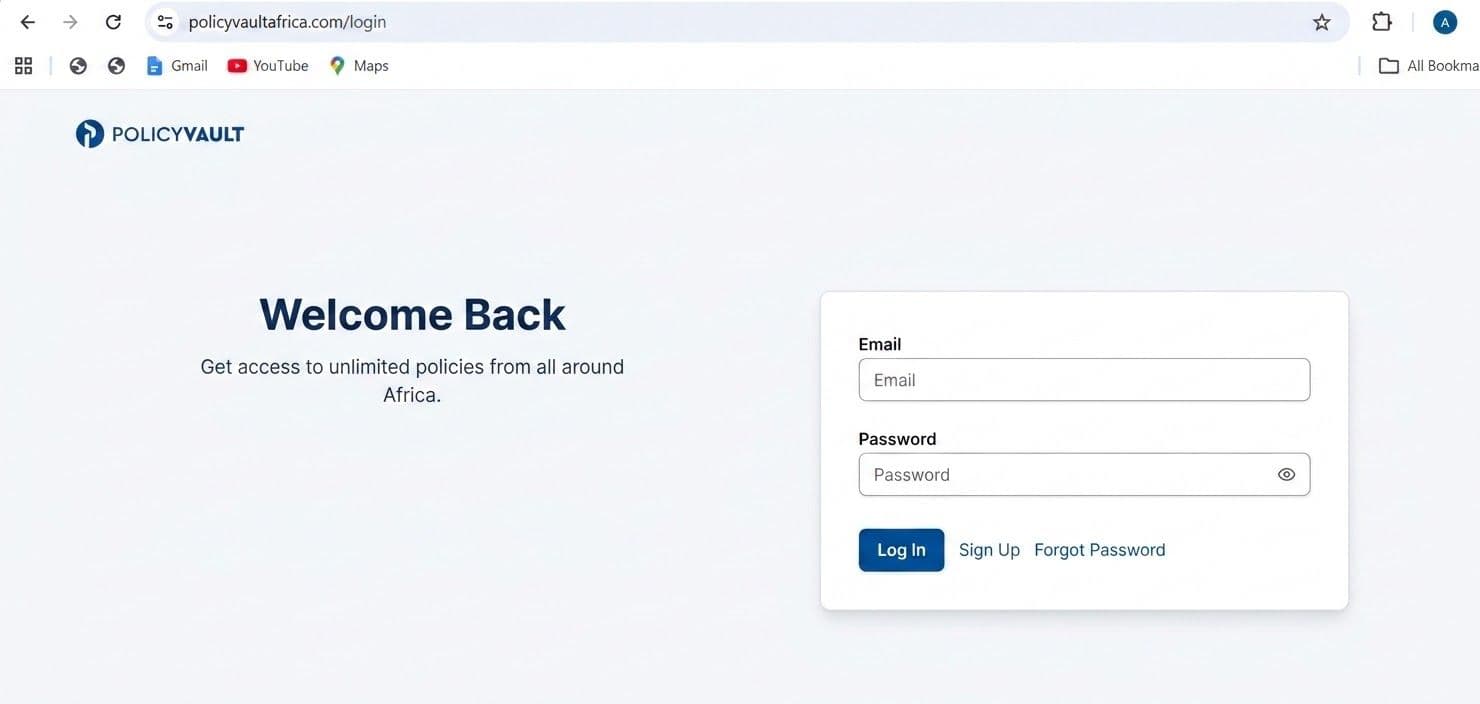
Step 4: Sign in
If you already have an account, open the sign-in page and enter your email address and password. If you have forgotten your password, use the available password-reset option to request a reset link.
Step 5: Start your research
After signing in, you can access the dashboard and navigate to the Policies section or PolicyAI, depending on your research needs.
- Use Policies when you know the title or keywords you want to search for.
- Use PolicyAI when you want to investigate a topic or ask questions about policy documents.
- Use AI Summary to generate an overview of an opened policy.
- Use Notes to record observations associated with the policy.
- Use the favourite button on a policy page to save a document for later reference.
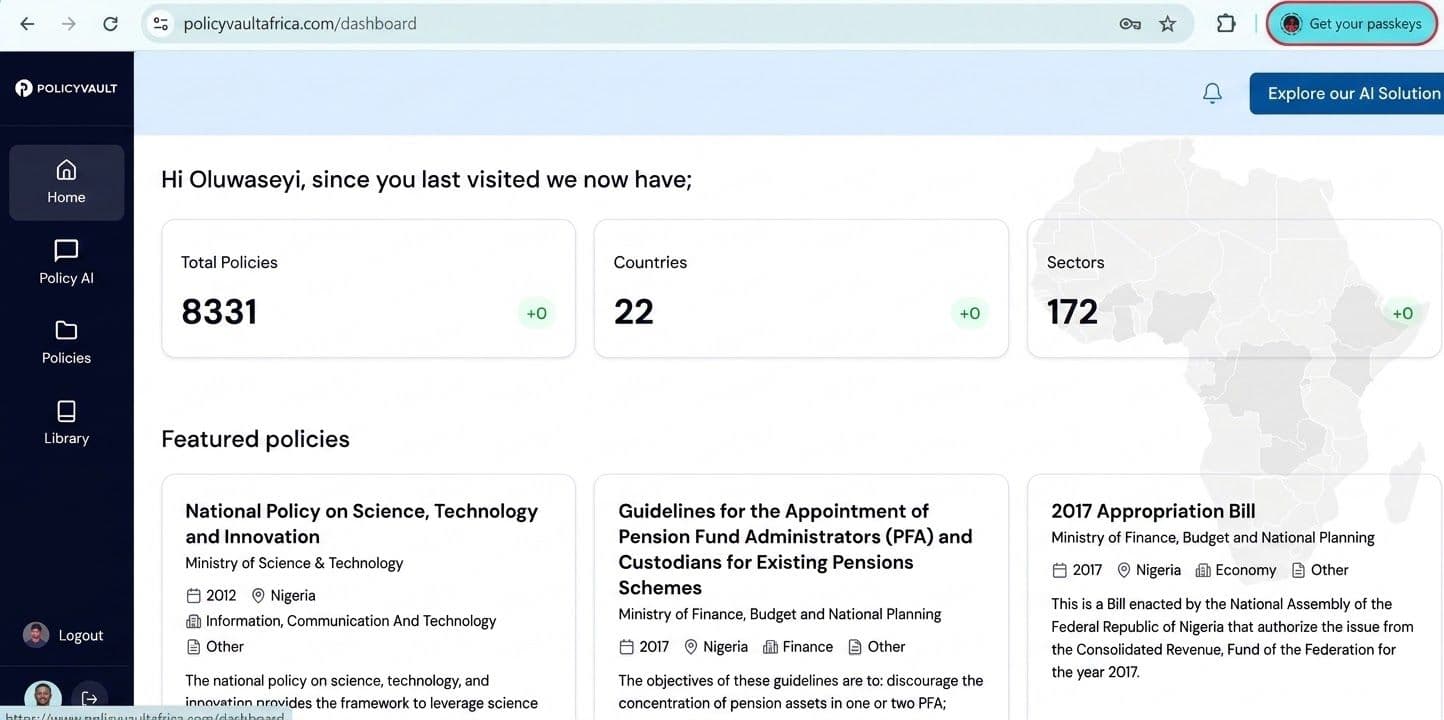
The dashboard displays repository statistics and featured policies. Its navigation menu provides access to Home, PolicyAI, Policies and Library.
The research workflow also brings together three distinct tools on the policy page: AI Summary, PolicyAI and Notes. Each serves a different purpose, from generating an overview of a document to asking questions about it and recording research observations.
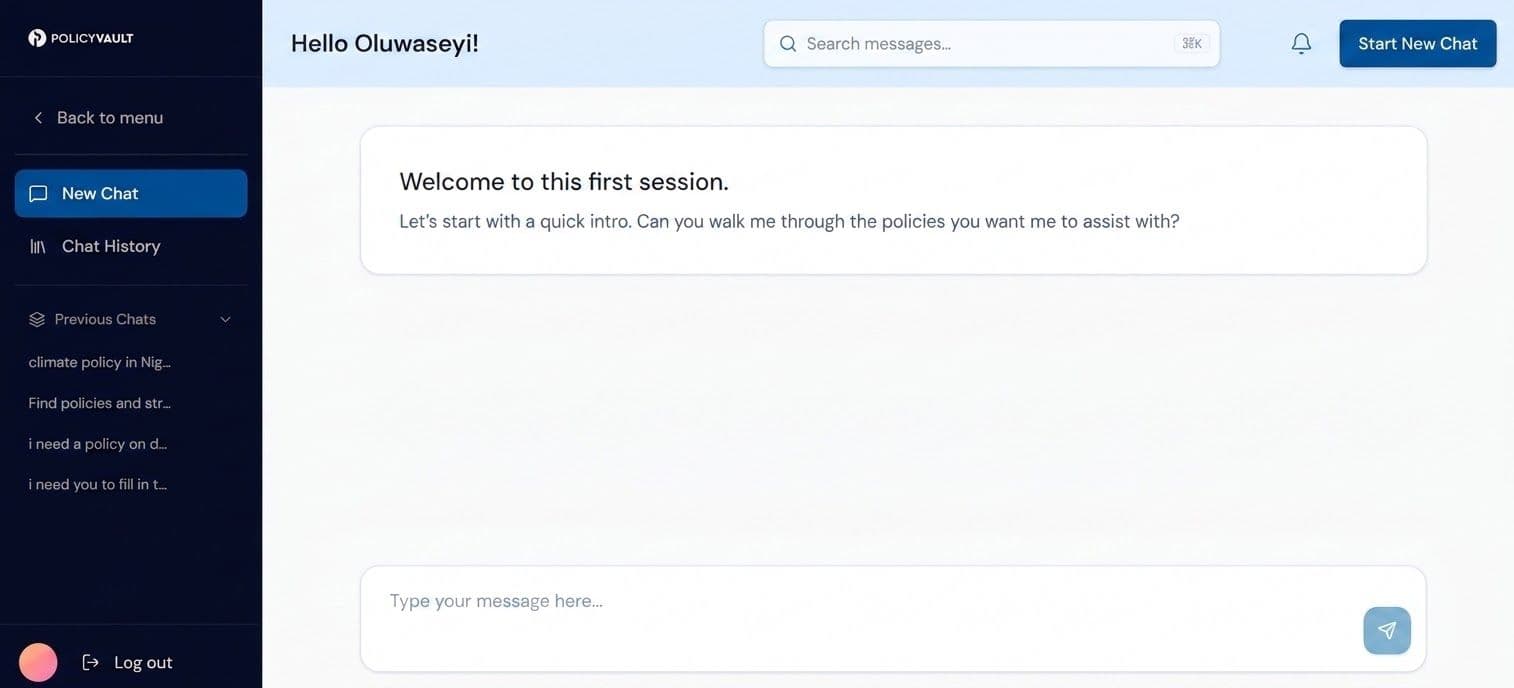
Tools to support your policy research
Finding documents with search and filters
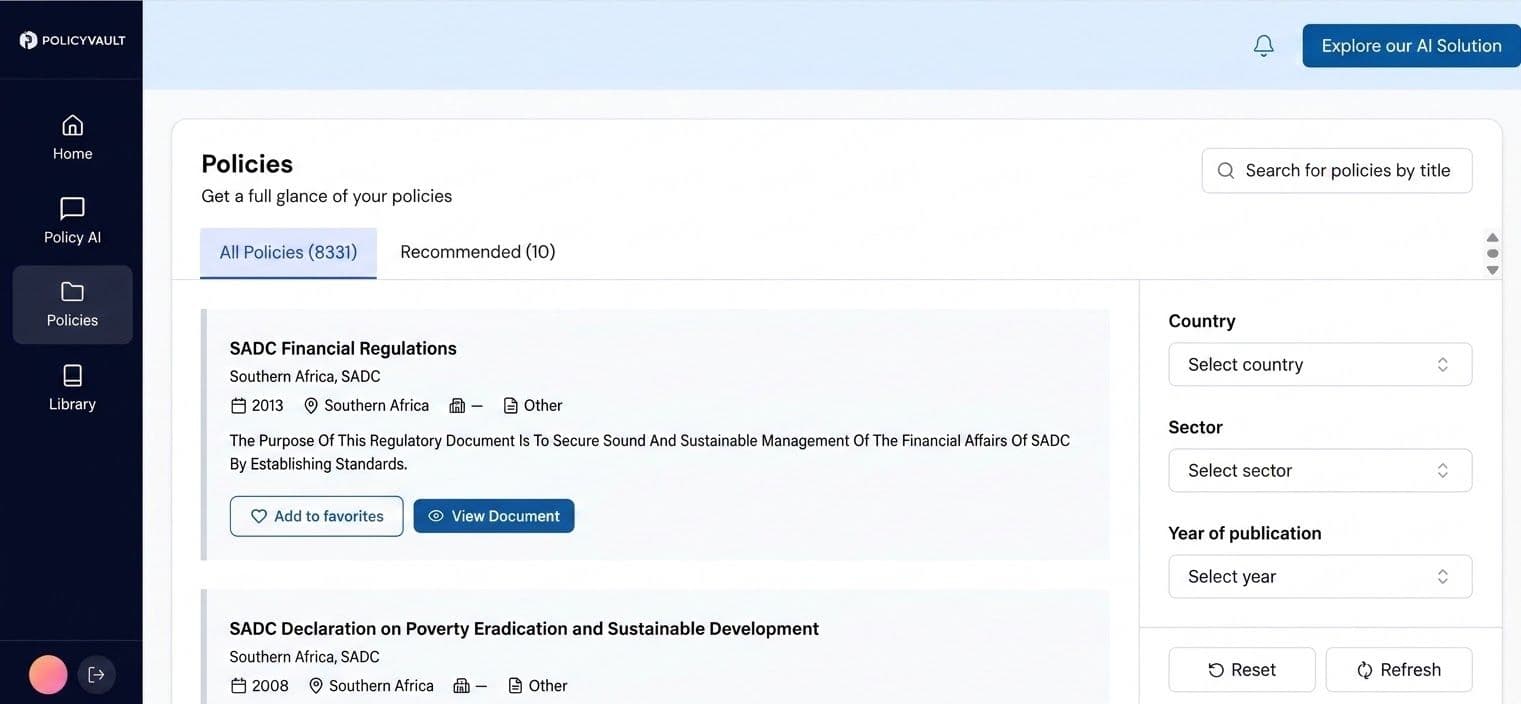
Use the Policies section when you want to search the repository directly.
How to search for a policy
- Sign in to your Policy Vault account.
- Select Policies from the navigation menu.
- Enter a policy title or relevant keywords into the search field.
- Narrow the results using the available filters for country, sector and year.
- Review the results and select the document relevant to your research.
For example, if you are researching climate policy in Nigeria, you can narrow your search by country and sector rather than reviewing unrelated documents.
What if you do not know the policy's name?
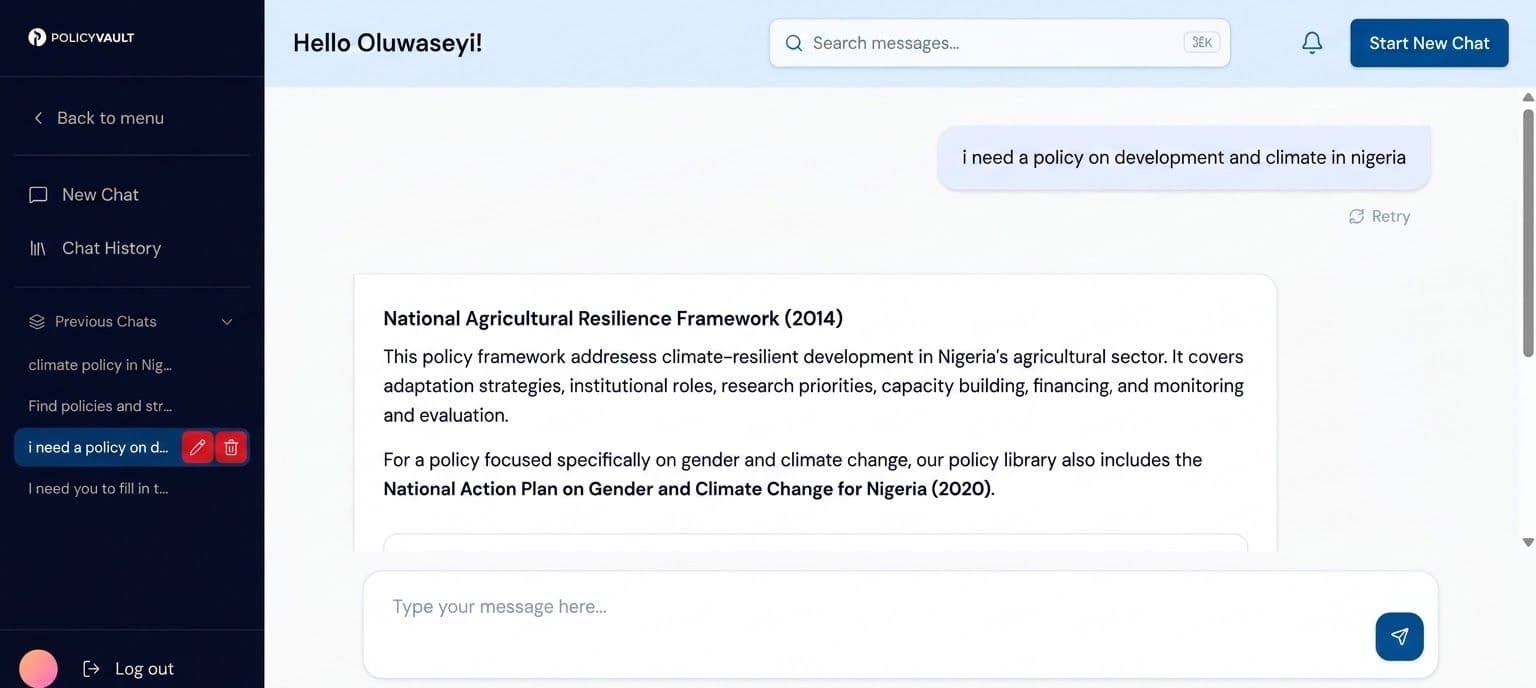
Use PolicyAI instead. It allows you to describe the topic you are researching and ask questions to help identify relevant policy documents.
Understanding documents with AI summaries and PolicyAI
Once you open a policy, you can use the AI Summary and PolicyAI tools to examine its contents. Although they are available in the policy interface, they serve different purposes.
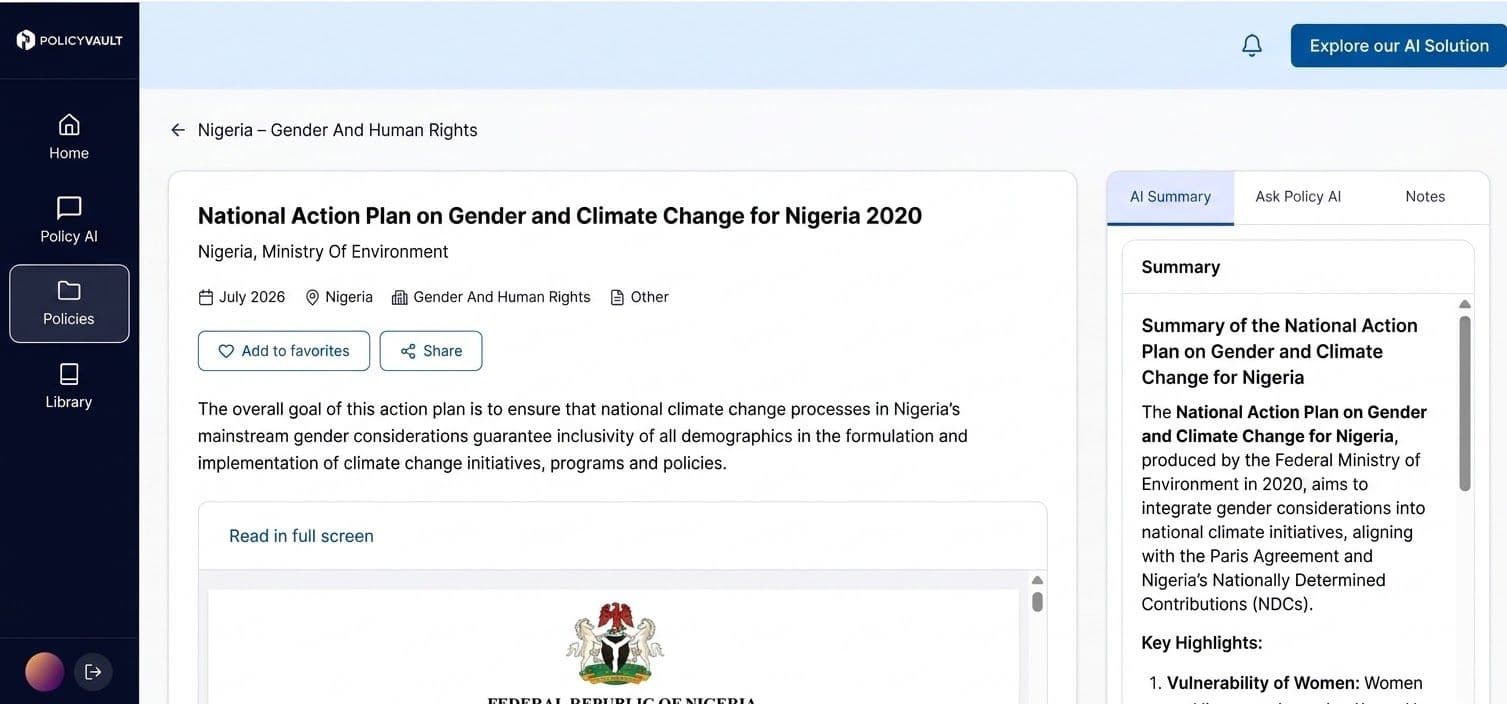
1. Generate an AI summary
The AI Summary feature helps you obtain an overview of a policy without having to read the entire document first. The summary is not displayed automatically; you need to generate it.
To use it:
- Open the policy you want to examine.
- Locate the AI Summary option on the policy page.
- Select the option to generate a summary.
- Review the generated summary, then return to the original document for details that require closer examination.
An AI summary can help you identify the policy's main themes before deciding which sections deserve more attention.
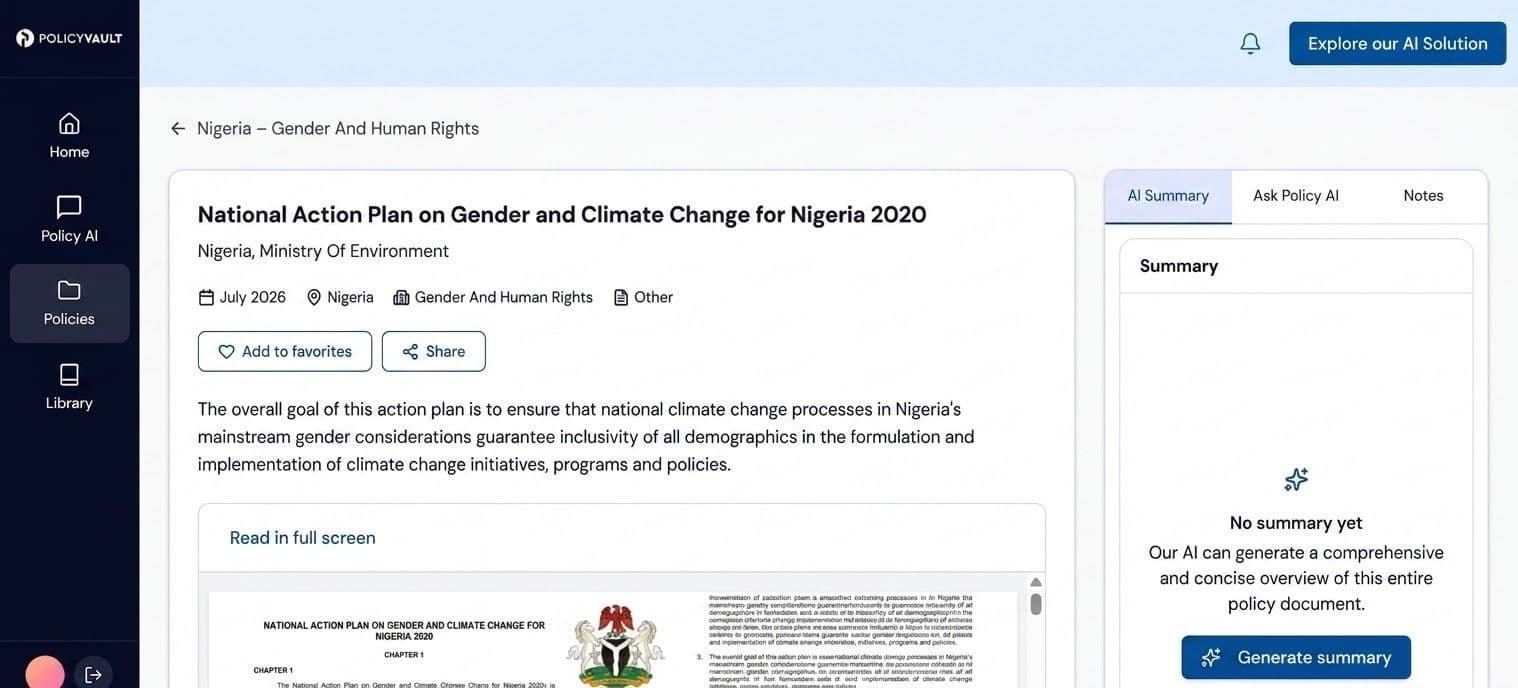
Generate an AI summary to get an overview of the policy before examining its provisions in greater detail.
2. Ask questions with PolicyAI
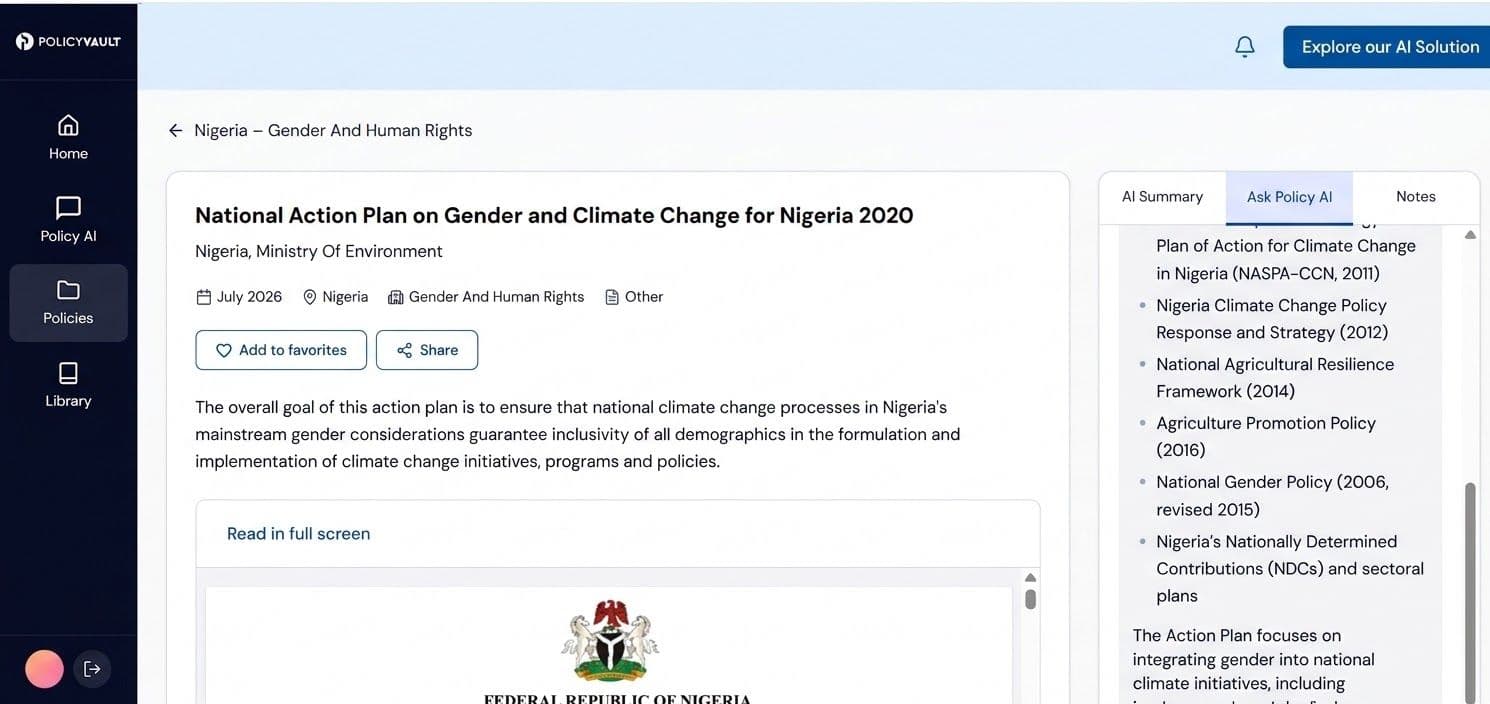
PolicyAI allows you to investigate aspects of a policy by asking questions. Instead of relying only on a general summary, you can focus on the issues most relevant to your assignment.
For example, while researching Nigeria's climate policy, you could ask about its objectives, the sectors it covers or the measures it proposes.
To use PolicyAI:
- Select PolicyAI in the policy interface.
- Enter a question about the document.
- Review the response and ask follow-up questions if you need to examine another aspect of the policy.
The response depends on the question you submit. For formal research, verify important statements against the original policy document and its relevant sections.
Example: Using PolicyAI to research climate change in Nigeria
A researcher looking for Nigerian climate change policies and strategies received a response identifying four relevant documents:
- National Policy on Climate Change (NPCC), 2013
- Nigeria's Intended Nationally Determined Contribution, 2015
- National Action Plan on Gender and Climate Change for Nigeria, 2020
- National Urban Development Policy, 2012
The response connected these documents to themes including climate change mitigation and adaptation, institutional capacity, sustainable development and climate action across sectors.
This example illustrates how a researcher can begin with a topic and use PolicyAI to identify documents for further investigation.
Capturing research insights with Notes
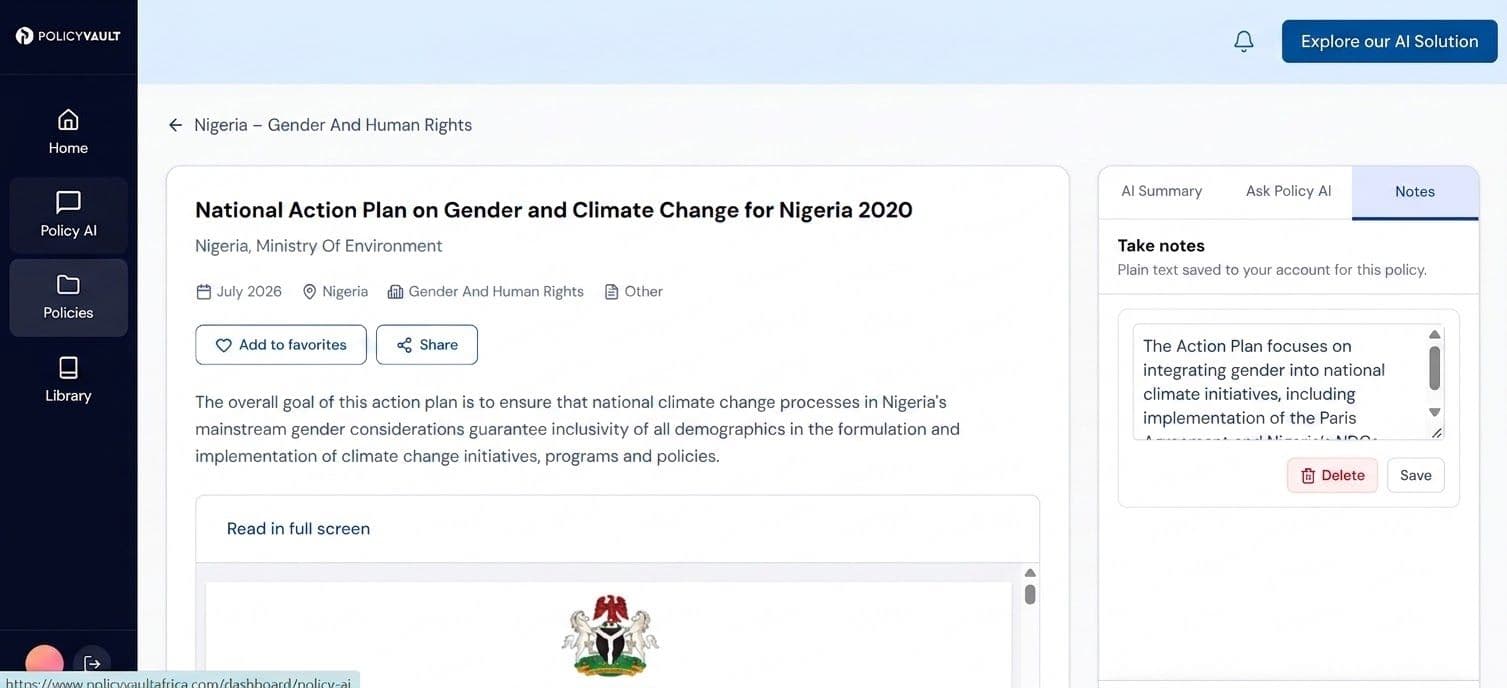
The Notes feature helps you record observations associated with the policy you are researching.
For example, while reviewing a climate policy, you might record its main objectives or the provisions you want to examine later. When you move on to a healthcare or transport policy, you can create notes associated with that document as well.
Your notes are available together in the Notes area, helping you keep track of observations across different policies and research topics.
How to use Notes
- Save the notes using the available controls.
2. Return to the Library to click on notes to find the notes associated with your different policy documents.
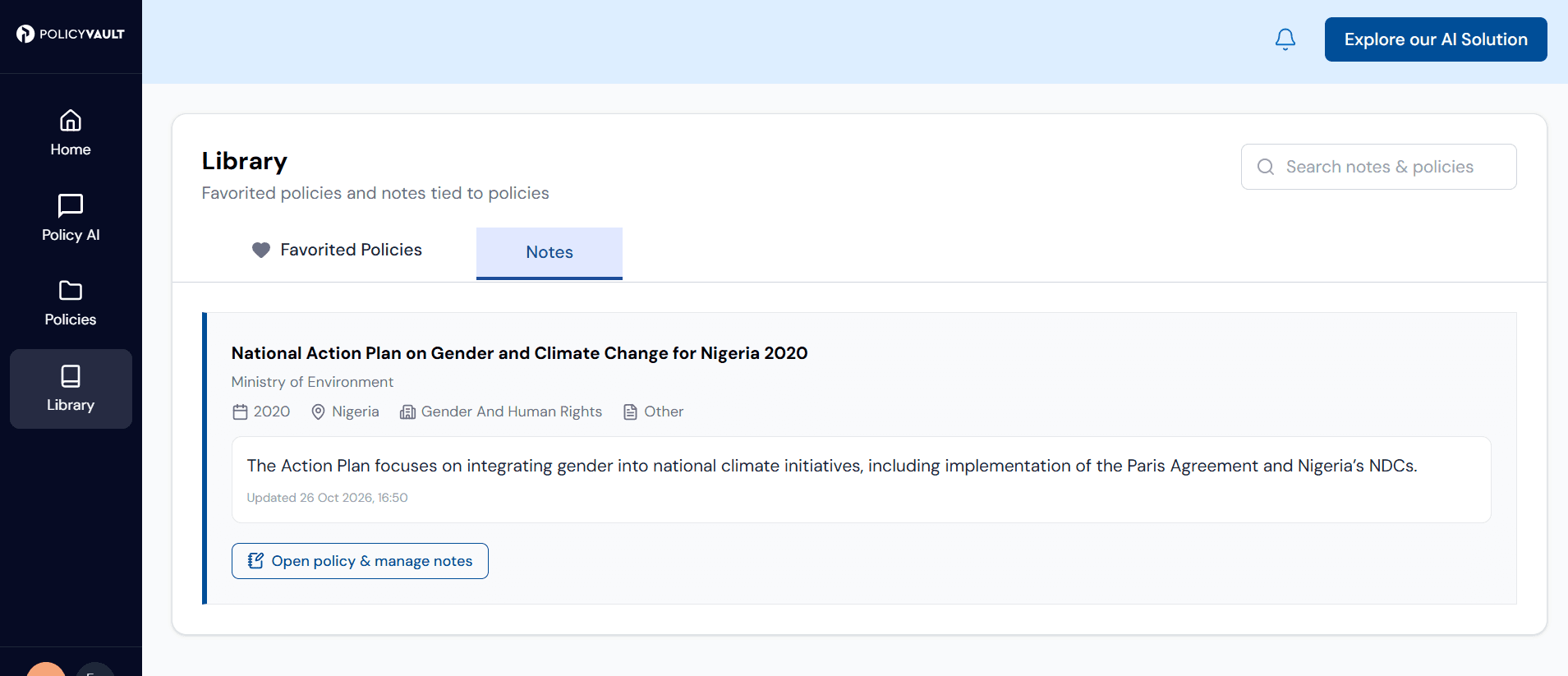
You can access your research notes together while keeping observations associated with their respective policies.
Explore all the new features here
Who is Policy Vault for?
Policy Vault can support professionals who need to locate, review or compare government policy documents across African countries and sectors, including:
- Policy researchers and analysts.
- Think tanks and research institutions.
- Development professionals, government affairs and public policy professionals.
- Regulatory and compliance professionals.
- Consultants whose work requires regular engagement with policy information.
- Policymakers and regulators.
- Businesses and investors operating in or assessing African markets.
- Donors and development partners.
- Civil society organisations, academics and students.
- Journalists and media professionals covering policy, regulation, business and development.
Policy Vault is built to support different stages of your work, from finding a document to examining its contents and organising research findings.
Start your next policy research project
Policy Vault helps you find, access and understand African policy information in one place, giving you all the tools for your research, whether you are preparing a policy brief, comparing regulations across countries, or investigating a development issue.
Register on Policy Vault and find the documents for your next assignment.